Home » Shop » ASUS Zenbook Pro Duo 15 OLED UX582ZW-H2035W Intel® Core™ i7 i7-12700H Laptop 39.6 cm (15.6″) Touchscreen 4K Ultra HD 16 GB LPDDR5-SDRAM 1 TB SSD NVIDIA GeForce RTX 3070 Ti Wi-Fi 6E (802.11ax) Windows 11 Pro
ASUS Zenbook Pro Duo 15 OLED UX582ZW-H2035W Intel® Core™ i7 i7-12700H Laptop 39.6 cm (15.6″) Touchscreen 4K Ultra HD 16 GB LPDDR5-SDRAM 1 TB SSD NVIDIA GeForce RTX 3070 Ti Wi-Fi 6E (802.11ax) Windows 11 Pro
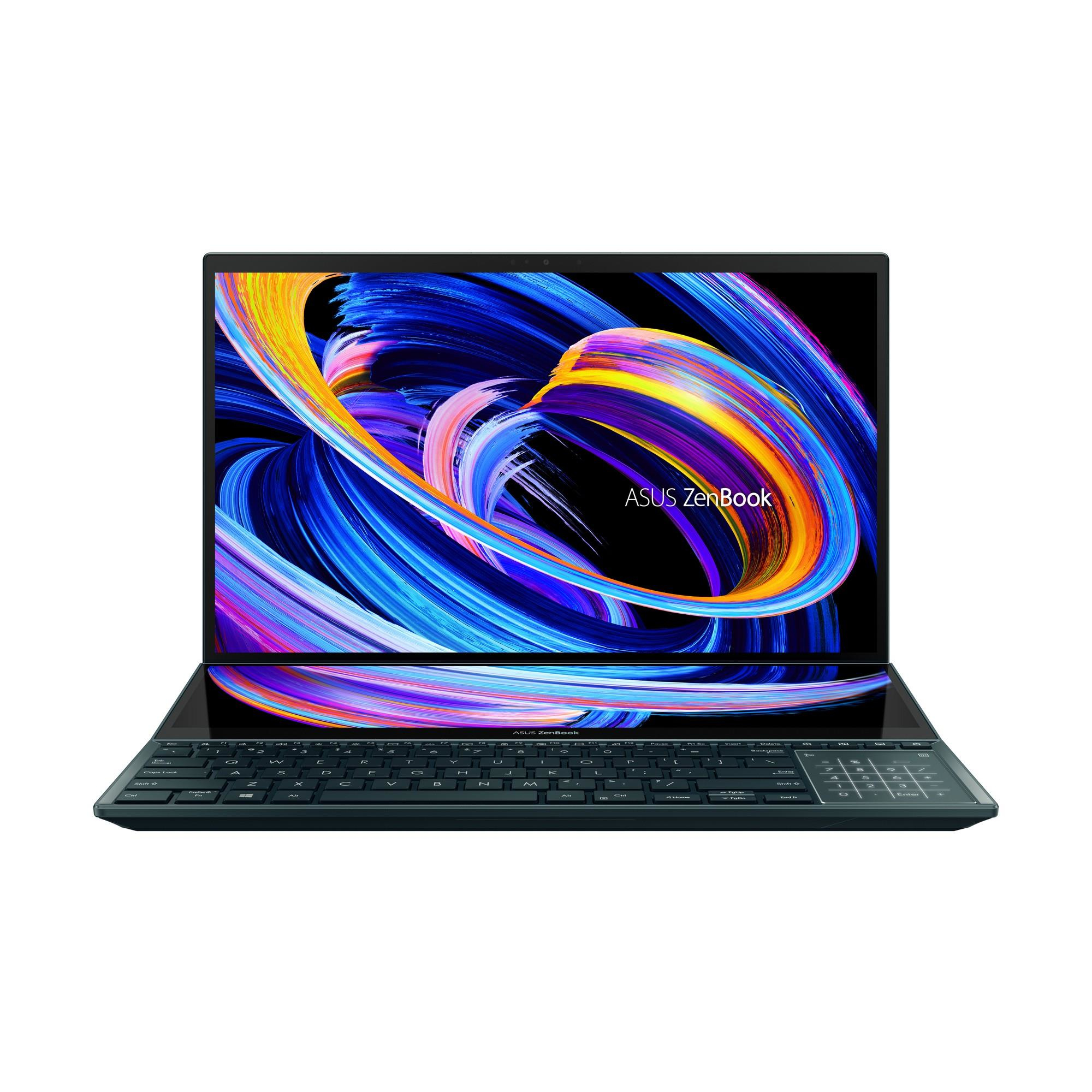
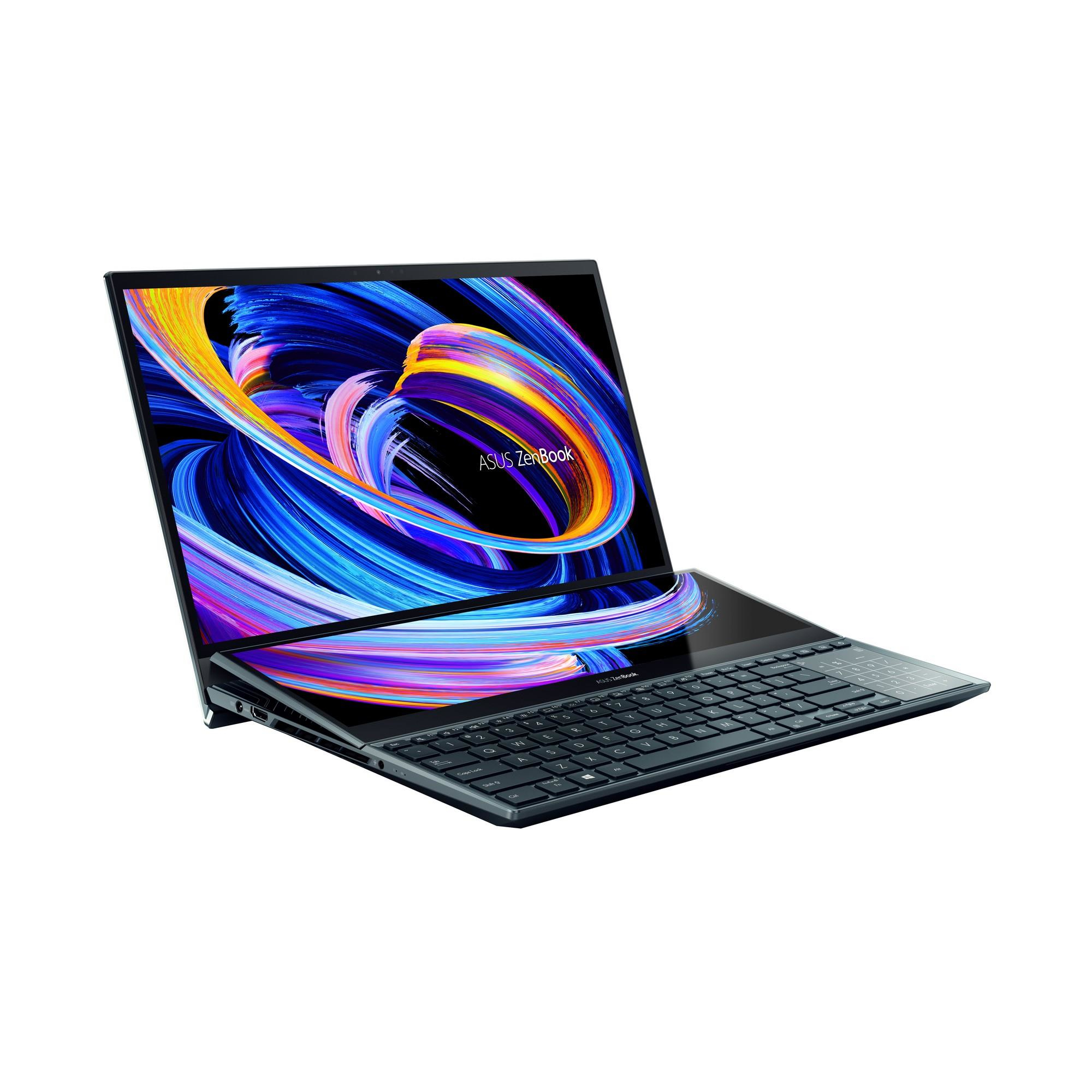
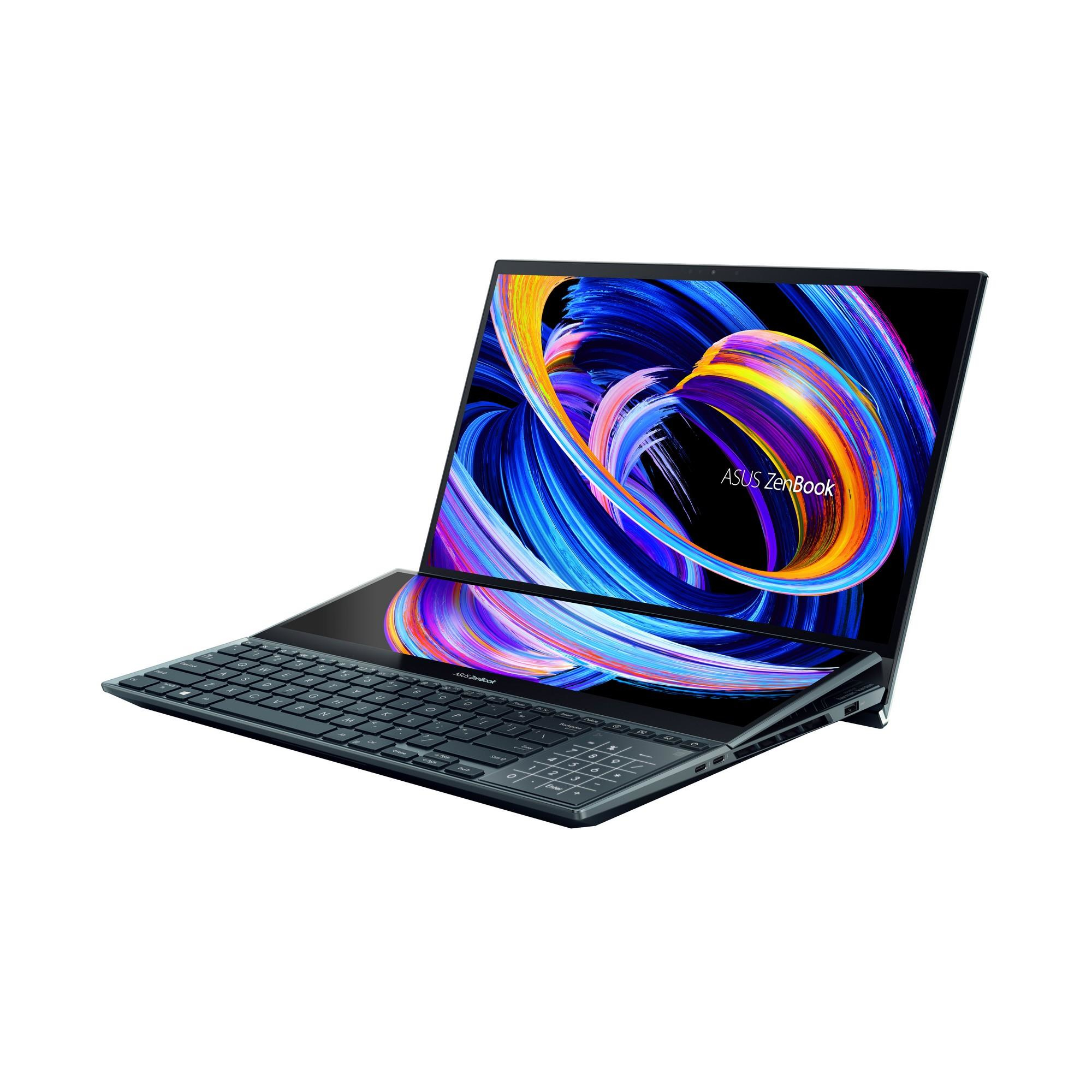
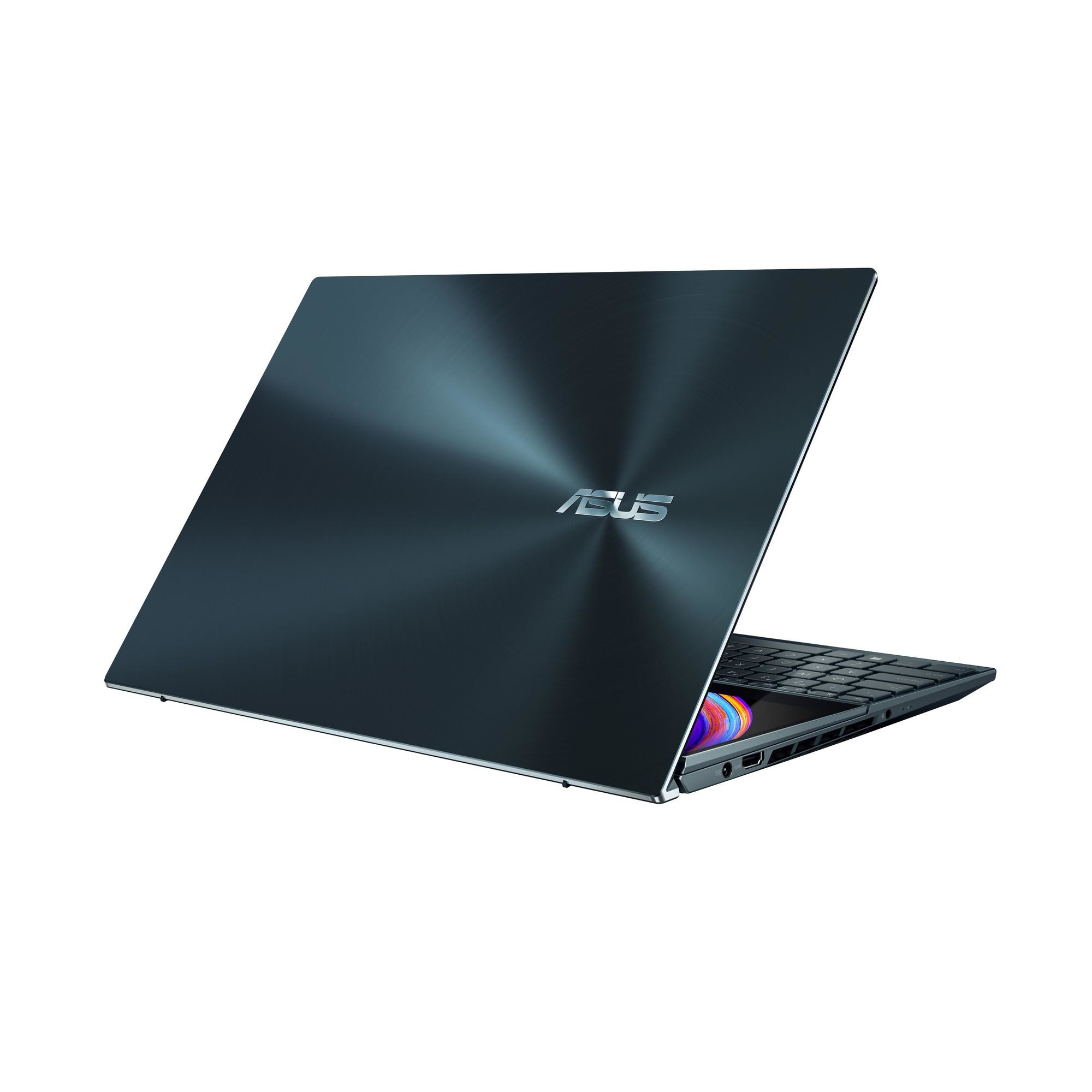
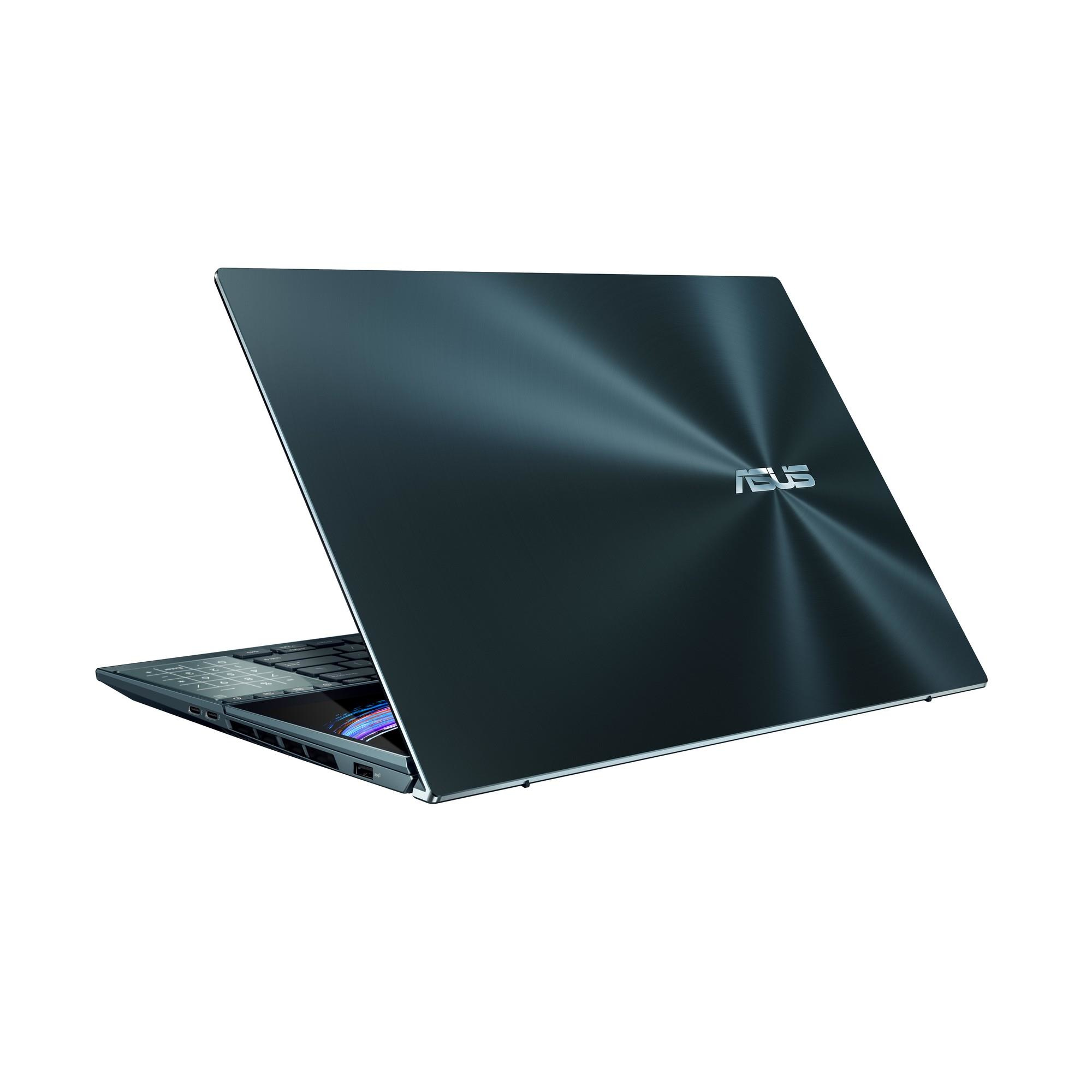
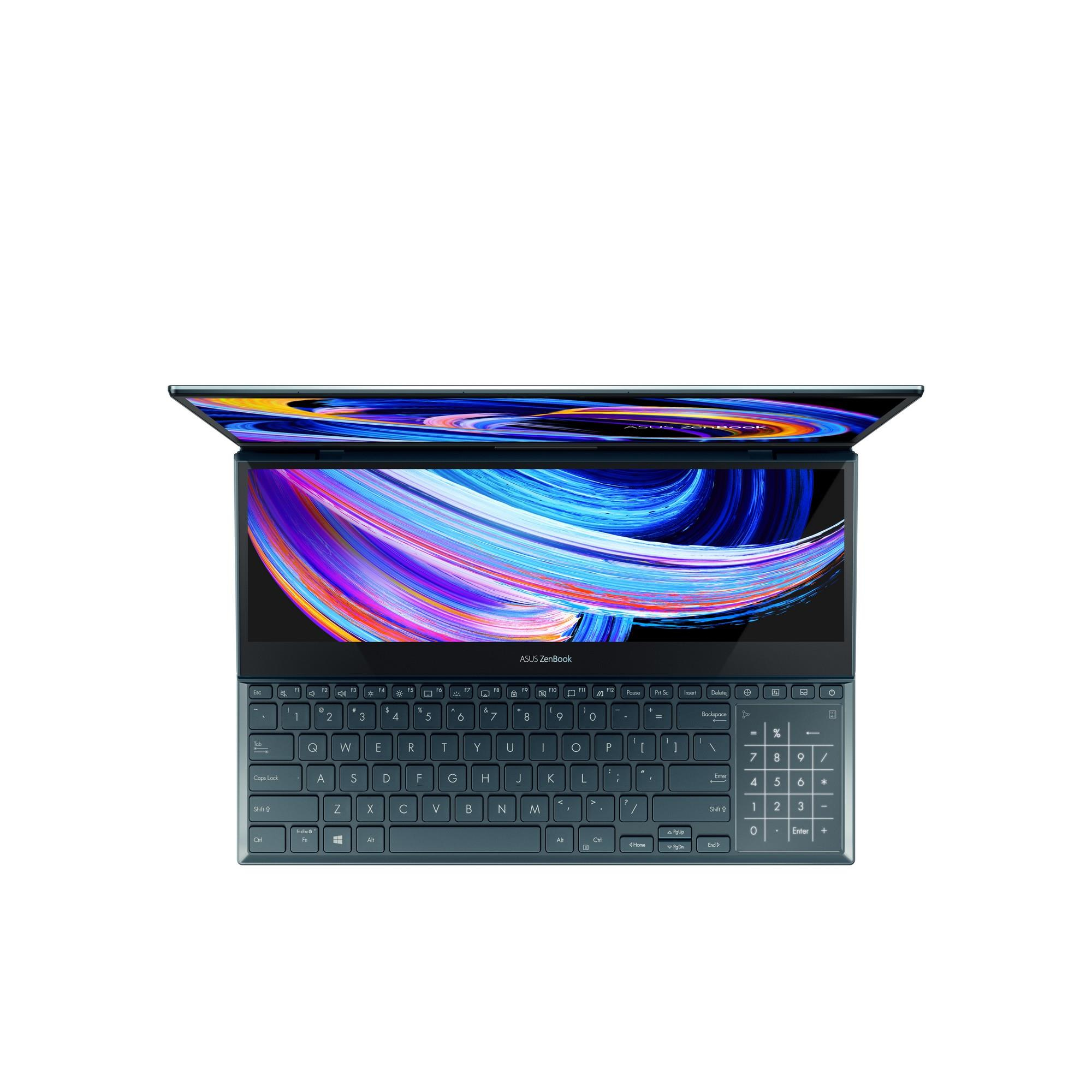
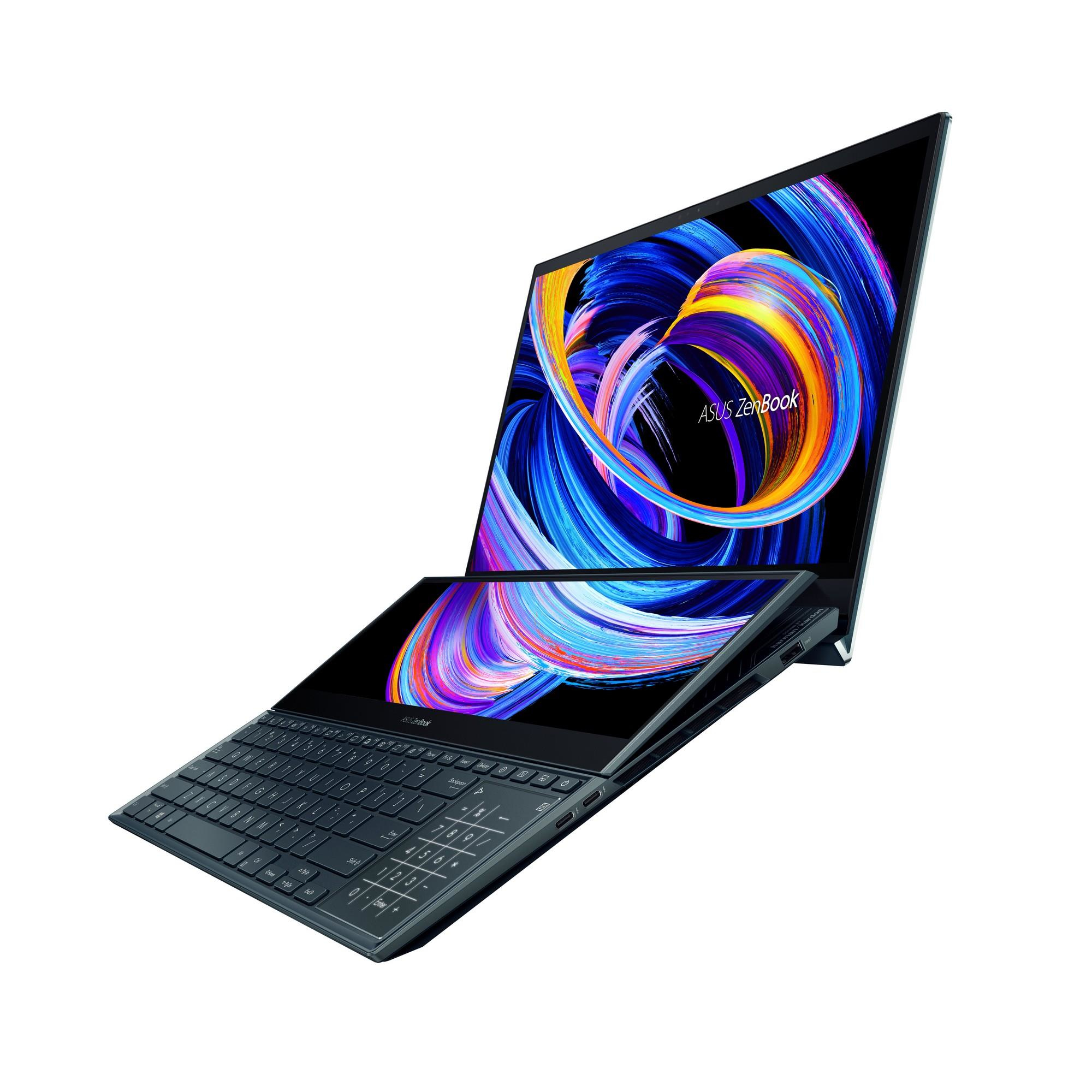
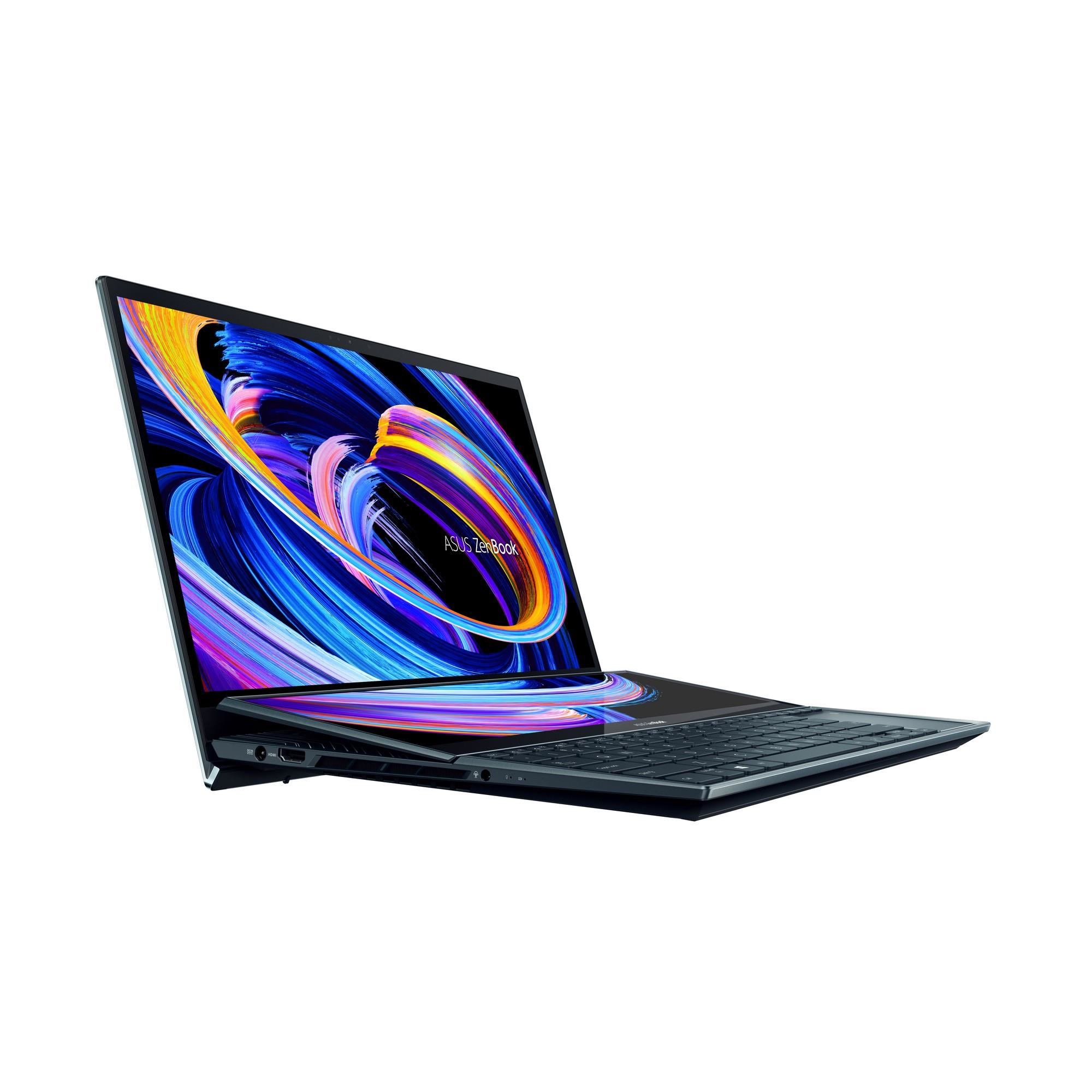
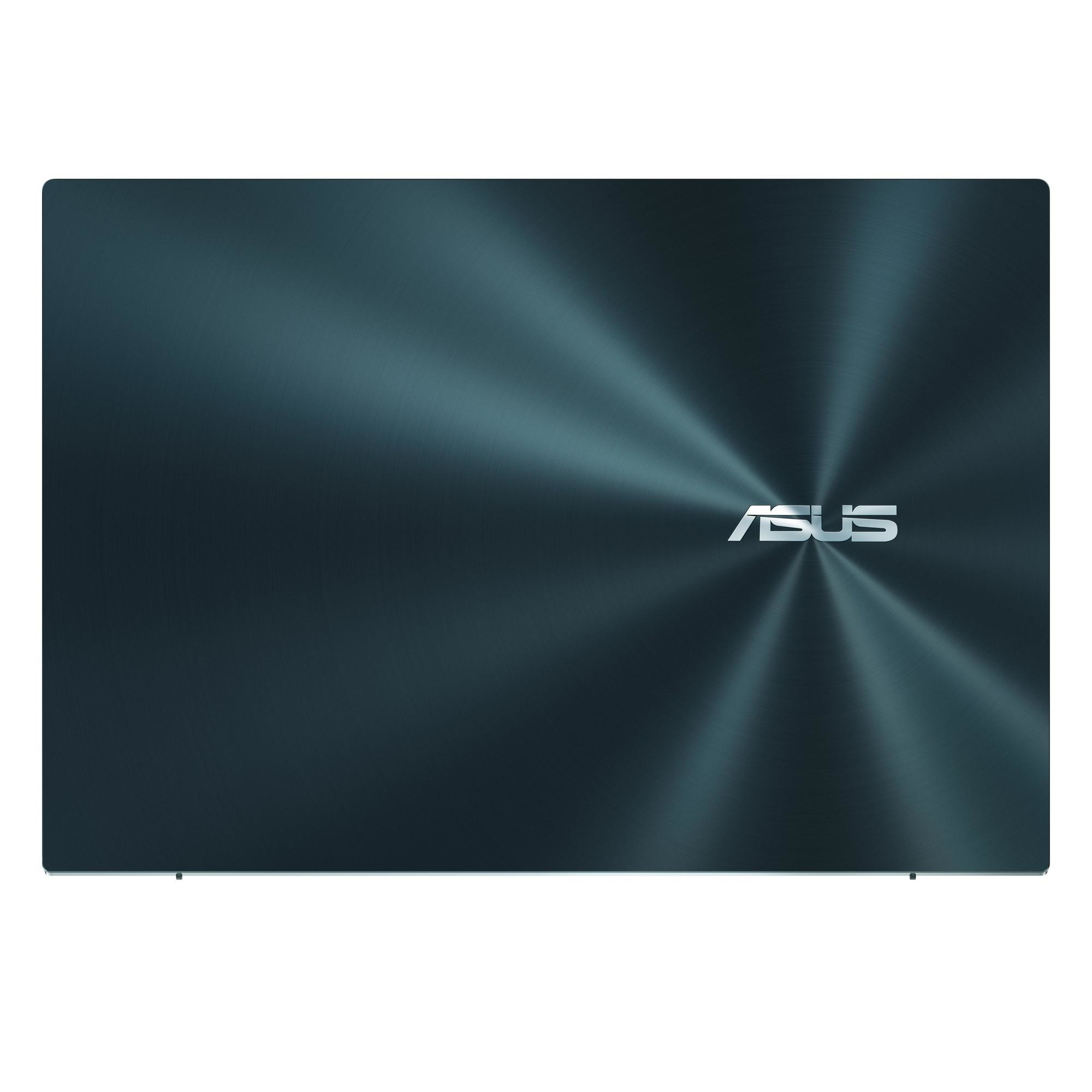
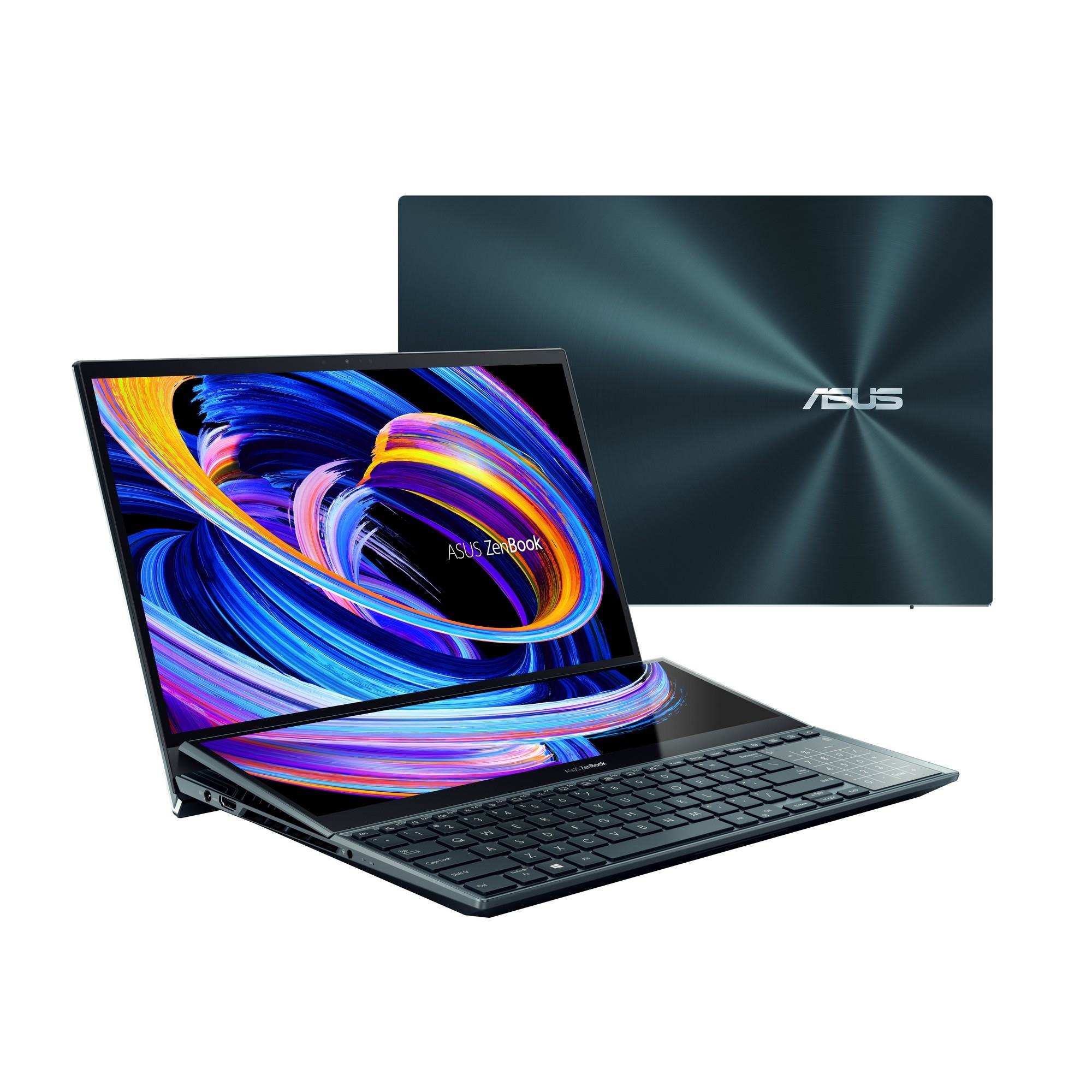
ZenBook Pro Duo 15 OLED lets you get things done in style: calmly, efficiently, and with zero fuss. It’s your powerful and elegant next-level companion for on-the-go productivity and creativity, featuring an amazing 4K OLED HDR touchscreen. It also includes the tilting ASUS ScreenPad™ Plus secondary 4K display that offers effortless ergonomics and seamless workflows. Powered by up to an Intel® Core™ i9 eight-core processor and NVIDIA® GeForce RTX™ 3060 GPU, ZenBook Pro Duo 15 OLED brings you all the benefits of tomorrow’s technology, today. DISPLAY See it once ZenBook Pro Duo 15 OLED gives you a superbly immersive viewing experience, with up to a brilliant 4K OLED HDR1 NanoEdge display that delivers ultra-vivid colors and deep blacks. Its cinema-grade 100% DCI-P3 color gamut and Delta-E < 2 color accuracy2 make it a superb all-rounder for professional creation, and it’s also PANTONE® Validated for professional-grade color accuracy and TÜV Rheinland-certified for eye care. ZenBook Pro Duo 15 OLED also includes the new tilting ScreenPad Plus, a secondary touchscreen that automatically tilts up by 9.5°, creating an angle of 144.5° between the main display and ScreenPad Plus for more comfortable viewing. You can enjoy seamless visuals across both displays, with easy multitasking thanks to the built-in ScreenPad Plus-optimized apps that enhance your workflow. GPU Professional-grade graphics Designed to help creators make a mark on the world, NVIDIA Studio badged laptops powered by GeForce RTX 3060 GPU are portable powerhouses. Catch every detail on the surreal, pixel-accurate display. Unlock new AI-powered features like Dynamic Boost 2.0 to optimize your favorite creative apps for less wait times, so you can express your creative genius uninterrupted. SCREENPAD PLUS Experience ultimate productivity The new tilting ASUS ScreenPad Plus is powered by the new ScreenXpert 2 software, which has been upgraded to make cross-screen multitasking and creativity even easier. Boost your productivity with the built-in apps, and revolutionize your creative workflows with the exclusive new Control Panel app. SCREENPAD PLUS Customize your workflow with Control Panel Control Panel is an exciting new tool that that gives you precise and intuitive control over your creative apps. With Control Panel, you can easily change brush size, change saturation, adjust layer opacity, and much more. Four types of control are available — Dial, Button, Slider, and Scroll — and each work in a different way to help smooth your creative workflow. Control Panel works with Adobe Photoshop, Lightroom Classic, Premiere and After Effects. It’s fully customizable — and there are more compatible apps on the way! SCREENPAD PLUS Next-generation ergonomics, for stylus or keyboard With ZenBook Pro Duo 15 OLED and a second-generation active stylus with 4096 pressure levels, such as the bundled ASUS Pen 2.0, you can really let your creativity flow. When ZenBook Pro Duo 15 OLED is placed on the bundled ASUS ErgoLift Stand, the new tilting ScreenPad Plus gives you an even more ergonomic and stable platform for writing or drawing. Take notes, sketch out your ideas, or do precision graphical editing in the most intuitive way ever. PERFORMANCE Flagship performance ZenBook Pro Duo 15 OLED is a real powerhouse when it comes to performance. It’s powered by up to an 12th Generation Intel Core i9 eight-core processor with up to 32 GB of memory and up to NVIDIA GeForce RTX 3060 Laptop GPU, with an ultrafast PCIe SSD to ensure fast boot times and rapid app loads. IceCool Pro thermal technology enables up to 125W performance for maximum productivity. With this ultrapowerful combination, ZenBook Pro Duo 15 OLED takes professional-quality tasks in its stride, such as multi-layer photo or video editing, music production, or even 3D graphics rendering. THERMAL Evolved cooling ZenBook Pro Duo 15 OLED is engineered with our new Active Aerodynamic System Plus, which uses the ErgoLift hinge mechanism and tilting ScreenPad Plus to increase overall cooling airflow by 36%. This in turn allows an optimum internal temperature to be maintained for maximum performance. Inside, there’s a powerful dual-fan setup with six heat pipes for efficient heat dissipation. AAS Plus ensures that ZenBook Pro Duo 15 OLED sustains incredible performance, no matter how demanding the workload. CPU Intel® Core™ i9 processor ZenBook Pro Duo 15 OLED is incredibly powerful, featuring up to a 12th Generation Intel Core i9 eight-core processor that’s designed to deliver superb performance demanding tasks like rendering or editing high-resolution video. With a 4.9 GHz Turbo Boost frequency, ZenBook Pro Duo 15 OLED enables effortless cross-screen workflows using ScreenPad Plus and the main display. DESIGN Inspired by the future The high-tech magnesium-aluminum alloy that’s used to construct ZenBook Pro Duo 15 OLED helps reduce its weight by 100 g. It’s finished in Celestial Blue, a future-inspired color with a sophisticated air of timeless innovation. The lid features an eye-catching asymmetric version of the iconic Zen-inspired spun-metal finish: an intriguing design detail that gives ZenBook Pro Duo 15 OLED a totally unmistakable identity. Wide, mirror-finished diamond-cut edges reflect your surroundings to add a subtle touch of ambient style: in effect, you control how your laptop looks. CONNECTIVITY Next-generation connectivity For easy connections to peripherals, ZenBook Pro Duo 15 OLED has comprehensive high-performance I/O capabilities including a pair of the latest Thunderbolt™ 4 USB-C® ports. These support DisplayPort connections, and the 40 Gbps bandwidth lets you connect an external 8K display3 or two 4K UHD displays, or connect a display while still enjoying high-speed data transfers on the second port. ZenBook Pro Duo 15 OLED also includes WiFi 6E (802.11ax), so you can easily create and share on the go. IR CAMERA Hands-free login with face unlock Enjoy hands-free login on ZenBook Pro Duo 15 OLED, using the infrared camera5 with Windows Hello to login with just a glance — even in the dark! AUDIO Break the sound barrier For unrivaled audio quality, ZenBook Pro Duo 15 OLED has a Dolby Atmos stereo sound system that’s certified by the audio experts at Harman Kardon. It delivers powerful, immersive sound that’s crystal-clear, with the multi-dimensional soundscape of Dolby Atmos. It immerses you in your favorite entertainment with sound that moves all around you with breathtaking realism in music, movies and TV. Smart Amp — 350% louder sound, zero distortion The volume-enhancing, distortion-suppressing dual-channel smart amplifier is equipped with a powerful DSP chip that can drive the twin speakers at the maximum volume possible while preventing long-term damage to the sensitive speaker voice coils. Creating or listening to audio in your videos, movies, music or games has never sounded better! SOFTWARE Truly personalized workflow MyASUS hosts a collection of handy ASUS apps and tools that help you get more out of your laptop, and GlideX is a cross-device screen-sharing solution. Optimize your laptop’s performance and boost your productivity with ASUS apps! MyASUS Your PC just got better MyASUS provides easy access to ASUS apps that are designed to help you maintain your system, update your software, optimize your PC’s performance, and contact ASUS for after-sales service and support. GlideX Your on-the-go work and play space GlideX is a cross-device screen-sharing solution that uses wired or wireless connections to give you a bigger and better space for work and play. With Screen Mirror you can project your device’s screen to PC for easier keyboard input on a bigger space; with Screen Extend you can create more space turning your tablet into a secondary display on the go. GlideX optimizes your workflow in the blink of an eye! DURABILITY Militarily tested durability ZenBook Pro Duo 15 OLED meets the ultra-demanding MIL-STD 810H military standard for reliability and durability, undergoing a punishing test regime that includes extended tests for operation in harsh environments including extreme altitudes, temperatures and humidity. It also passes ASUS laptop tests that far exceed the standards set by the industry.
Design
Colour name
Celastial Blue
Product type
Laptop
Product colour
Blue
Form factor
Clamshell
Housing material
Aluminium
Market positioning
Home
Introduction year
2022
Display
Display diagonal
39.6 cm (15.6")
Display resolution
3840 x 2160 pixels
Touchscreen
Yes
HD type
4K Ultra HD
Panel type
OLED
Native aspect ratio
16:9
Display surface
Gloss
Display brightness
400 cd/m²
RGB colour space
DCI-P3
Colour gamut
100%
Contrast ratio (typical)
1000000:1
High Dynamic Range (HDR) supported
Yes
Second display diagonal
35.6 cm (14")
Second display resolution
3840 x 1100 pixels
Second display panel type
IPS
Processor
Processor manufacturer
Intel
Processor family
Intel® Core™ i7
Processor generation
12th gen Intel® Core™ i7
Processor model
i7-12700H
Processor cores
14
Processor boost frequency
4.7 GHz
Processor cache
24 MB
Configurable TDP-down
35 W
Memory
Internal memory
16 GB
Internal memory type
LPDDR5-SDRAM
Memory form factor
On-board
Maximum internal memory
16 GB
Storage
Total storage capacity
1 TB
Storage media
SSD
Total SSDs capacity
1 TB
Number of SSDs installed
1
SSD capacity
1 TB
SSD interface
PCI Express 4.0
NVMe
Yes
SSD form factor
M.2
Optical drive type
No
Graphics
Discrete GPU manufacturer
NVIDIA
Discrete graphics card model
NVIDIA GeForce RTX 3070 Ti
Discrete graphics card memory
8 GB
Discrete graphics memory type
GDDR6
On-board graphics card
Yes
On-board GPU manufacturer
Intel
Discrete graphics card
Yes
On-board graphics card model
Intel Iris Xe Graphics
Audio
Speakers manufacturer
Harman Kardon
Built-in microphone
Yes
Camera
Front camera
Yes
Front camera HD type
HD
Infrared (IR) camera
Yes
Network
Top Wi-Fi standard
Wi-Fi 6E (802.11ax)
Wi-Fi standards
Wi-Fi 6E (802.11ax)
Mobile network connection
No
Antenna type
2×2
Ethernet LAN
No
Bluetooth
Yes
Bluetooth version
5.0
Ports & interfaces
USB 3.2 Gen 2 (3.1 Gen 2) Type-A ports quantity
1
HDMI ports quantity
1
HDMI version
2.1
Thunderbolt 4 ports quantity
2
Intel® Thunderbolt 4
Yes
Combo headphone/mic port
Yes
USB Type-C DisplayPort Alternate Mode
Yes
Keyboard
Pointing device
NumberPad
Numeric keypad
No
Keyboard backlit
Yes
Software
Operating system architecture
64-bit
Trial software
1-month trial for new Microsoft 365 customers. Credit card required.
Operating system installed
Windows 11 Home
Processor special features
Intel Flex Memory Access
Yes
Intel Trusted Execution Technology
Yes
Intel VT-x with Extended Page Tables (EPT)
Yes
Execute Disable Bit
Yes
CPU configuration (max)
1
Embedded options available
No
Intel Virtualization Technology for Directed I/O (VT-d)
Yes
Intel Virtualization Technology (VT-x)
Yes
Battery
Battery technology
Lithium-Ion (Li-Ion)
Number of battery cells
8
Battery capacity
92 Wh
Power
AC adapter power
240 W
AC adapter frequency
50 – 60 Hz
AC adapter input voltage
100 – 240 V
AC adapter output current
12 A
AC adapter output voltage
20 V
DC-in jack
Yes
Security
Face recognition
Yes
Windows Hello
Yes
Trusted Platform Module (TPM)
Yes
Password protection
Yes
Weight & dimensions
Width
359.8 mm
Depth
249.2 mm
Height
21.5 mm
Weight
2.34 kg
Packaging data
Package width
494 mm
Package depth
131 mm
Package height
320 mm
Package weight
6.06 kg
Packaging content
Stylus pen
Yes
Wrist rest
Yes
What to Expect From a Grade A Device
The device you’re viewing has been graded Grade A. Grade A means very light signs of use only: no scratches or pressure marks to the screen, and any cosmetic wear is minor and easy to live with.
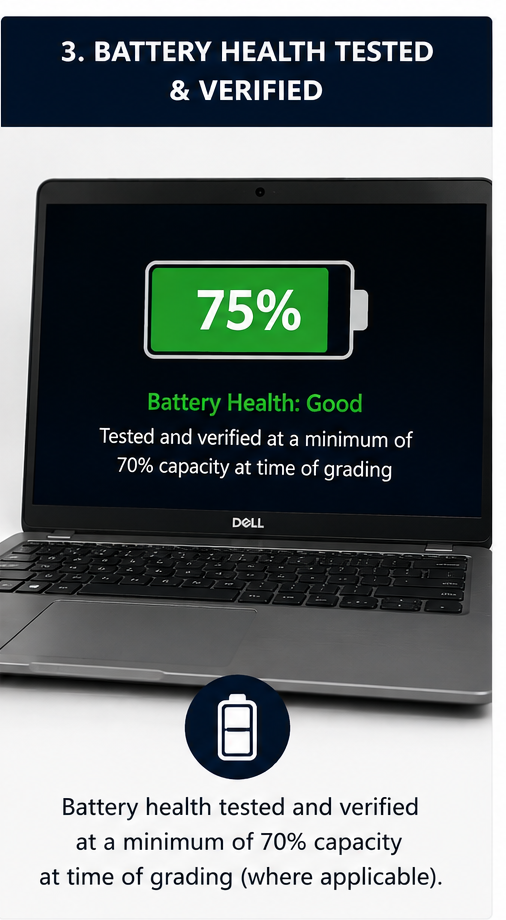
Battery Health, Tested
Every battery in a Grade A laptop is tested before it’s listed and comes with a minimum of 70% health. It’s also backed by its own 6-month battery warranty, so you know exactly what you’re getting from day one.
Grade A Condition, At a Glance
Very Light Signs of Use
No scratches or pressure marks to the screen. Any cosmetic wear is minimal and consistent with an item that’s had a light amount of previous use.
Battery Tested
Minimum 70% health, verified before listing and covered by a 6-month battery warranty.
Fully Functional
Every Grade A device is fully tested and in complete working order before it’s dispatched to you.
Example Photos
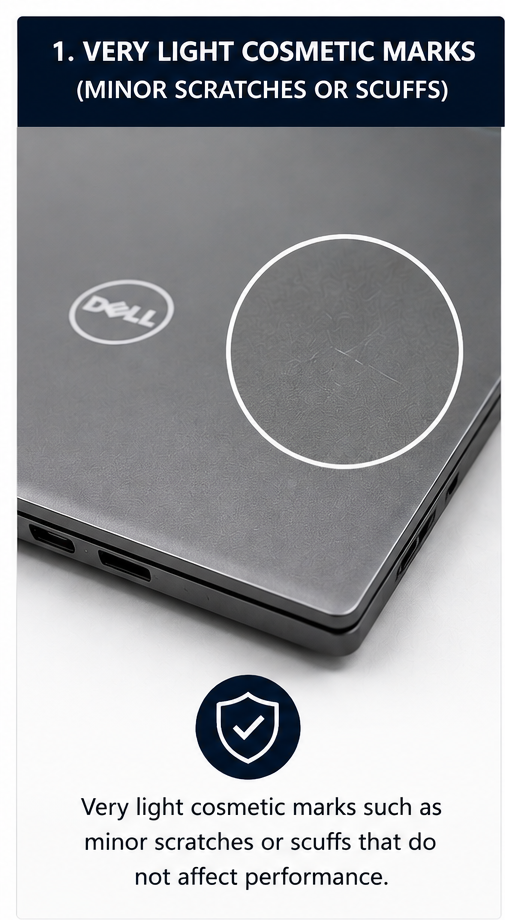
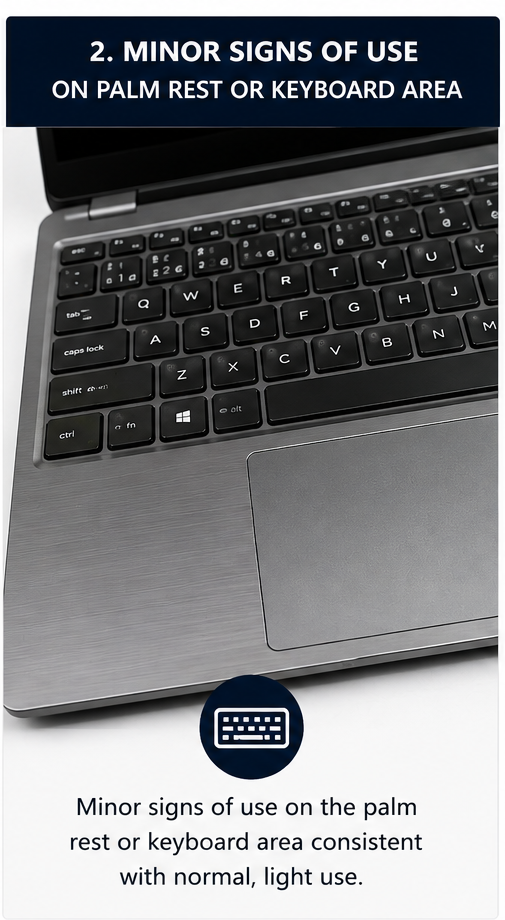
A few real examples of what “very light signs of use” looks like on a Grade A device:
Very light cosmetic marks such as minor scratches or scuffs that do not affect performance.Minor signs of use on the palm rest or keyboard area consistent with normal, light use.Battery health tested and verified at a minimum of 70% capacity at time of grading (where applicable).
About Grade A grading: Grade A means very light signs of use, with no scratches or pressure marks to the screen. Batteries are tested to confirm the minimum health stated above before a device is listed. Warranty terms are provided in addition to your statutory consumer rights.
 UK Stock
 Pay with Klarna